PVT Studio · for Mac

Draw how loud every moment should be. Gain Curve does the rest.

Quiet words come up, loud ones settle down, and nothing gets squashed. Then one click makes the song the right loudness for Spotify, Apple Music, YouTube or your podcast.

14 days free, no account needed · macOS 11 or later · Apple silicon and Intel · App, Audio Unit and VST3
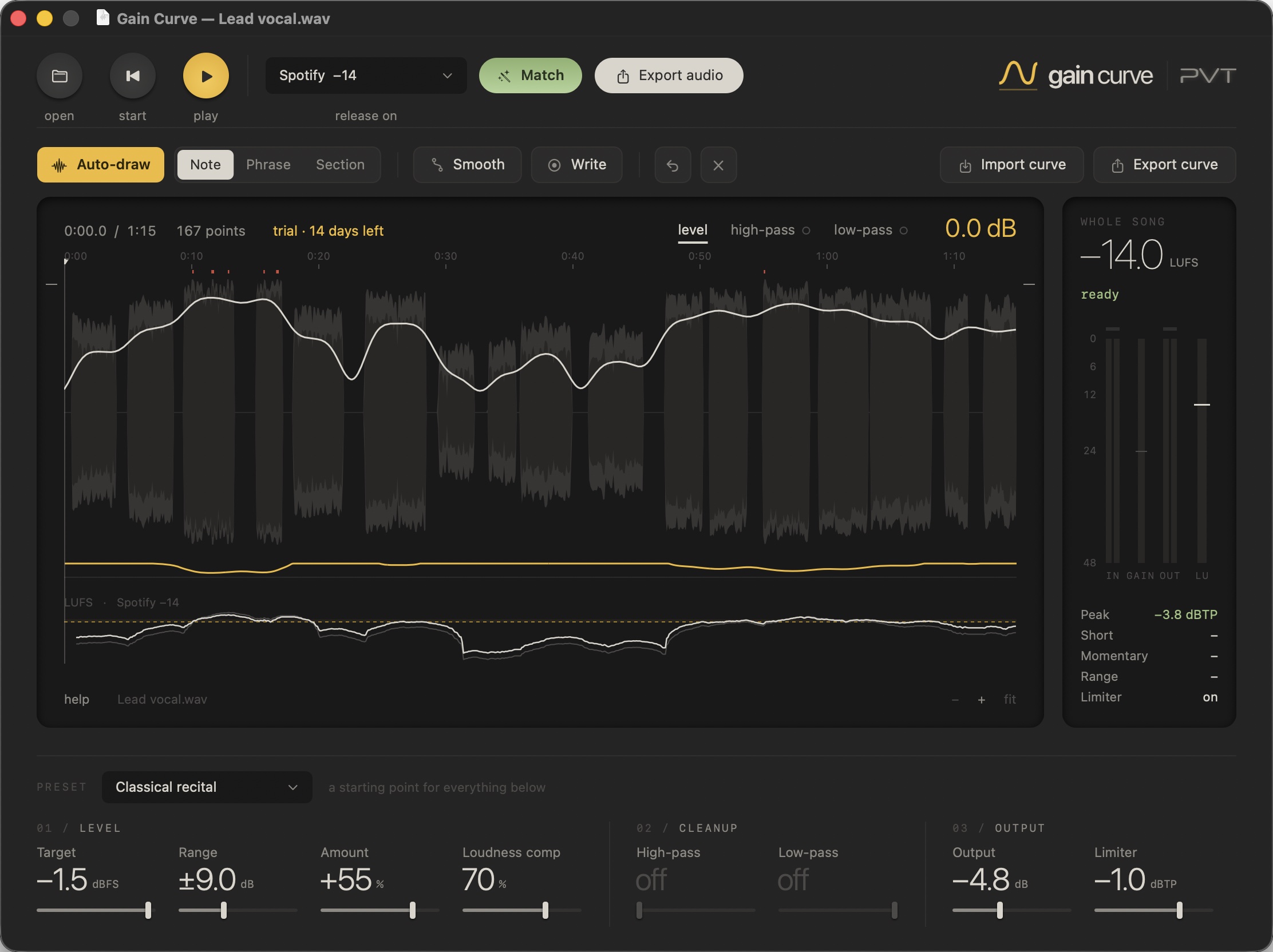
The Gain Curve app: a vocal take with its drawn gain curve, matched to Spotify at −14 LUFS.
How it works

Three steps from a wild take to a finished track.

01

Open your song

Drop a file on the app, or put Gain Curve on a track in Logic, Ableton or any DAW. You see the whole performance at once.

02

Draw the curve

Press Auto-draw and it traces the performance for you, or draw it yourself. Gain Curve turns each moment up or down to follow it.

03

Match and export

Pick where you're releasing and press Match. The song lands on the right loudness with safe peaks. Export, done.

Features

Like riding a fader through the whole song, without the hours.

A curve you can see, draw and trust.

Compressors guess. Gain Curve shows you exactly what it will do, for every second of the song, before you hit play.

  • Auto-draw follows every word, every line, or whole sections: you choose how closely.
  • Smooth rounds sharp jumps into gentle rides.
  • Write: press play and move the mouse or a MIDI fader; the curve follows your hand.
  • Select any part and raise it, lower it or move it. Undo anything.
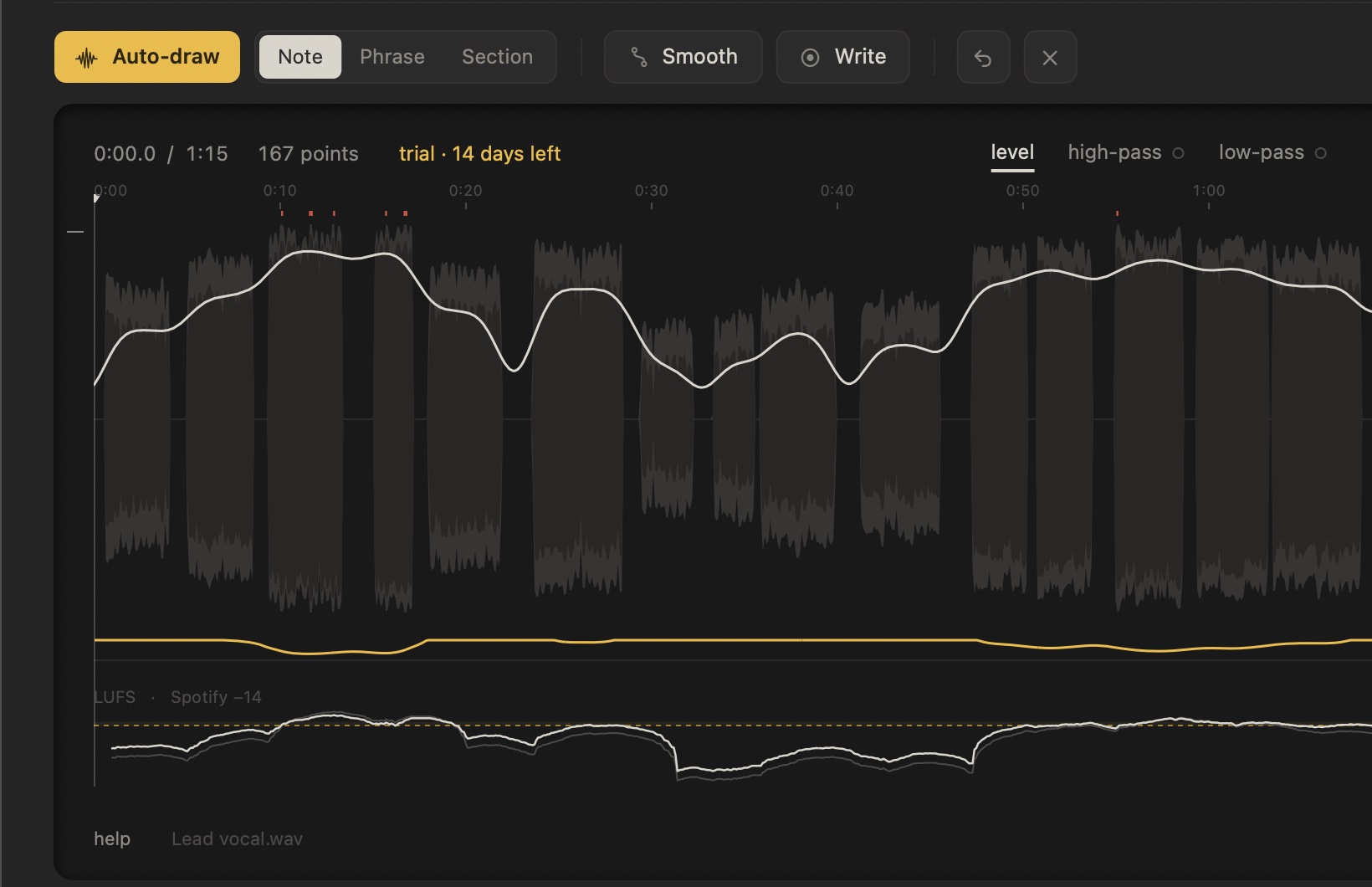
A drawn gain curve over a vocal waveform, with the loudness lane underneath.

Release-ready in one click.

Every platform turns songs to its own loudness. Too loud and they turn you down; too quiet and you sound weak next to everything else. Gain Curve tells you in plain words, and Match fixes it.

Spotify−14Apple Music−16YouTube−14Amazon−14Tidal−14Deezer−15Podcasts−16ACX audiobooksBroadcastEBU / ATSCCustom
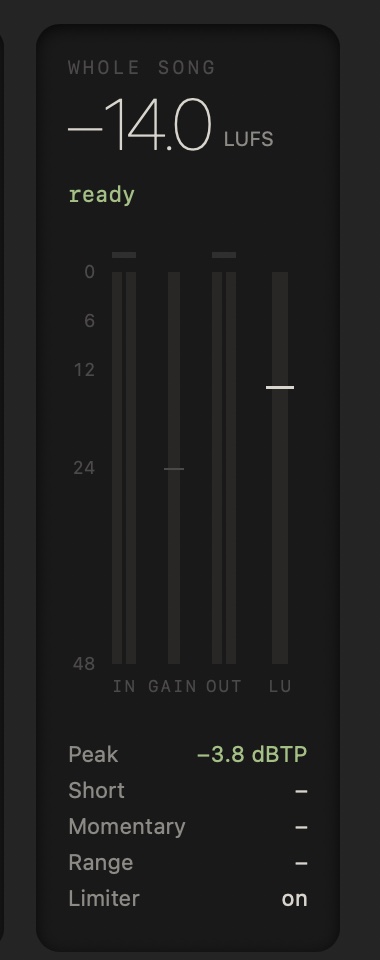
The meter column: whole song −14.0 LUFS, ready.

Big, readable controls. Nothing hidden.

Every setting is a big number you can read from across the room. Presets give you a sensible start for piano, classical, podcasts, audiobooks and film dialog. Hover any control and it tells you what it does, in normal words.

Gain Curve's controls: preset, level, cleanup and output.

App and plug-ins

A standalone app for files, plus Audio Unit (Logic, GarageBand) and VST3 (Ableton, Cubase, Studio One, Reaper, Bitwig). One license covers all three.

Drawable filters

High-pass and low-pass curves you draw over time, for rumble in one spot or harshness in another.

Meters to the standard

True peak, momentary, short-term and integrated loudness and loudness range, measured to EBU R128 and ITU BS.1770.

Look-ahead limiter

Catches peaks before they happen, so matched songs stay under the platform's limit.

Curves travel

Export a curve and load it on another track or in another project.

Plain-words help

A built-in help center written for bedroom producers, not engineers.

Made for

Anyone whose performance goes from a whisper to a shout.

Singers and songwriters

Keep every word audible over the band without crushing the life out of the vocal.

Podcasters

Even out two voices, laughs and leaning away from the mic, then hit −16 LUFS.

Audiobook narrators

Meet ACX loudness, peak and noise-floor rules without fighting a compressor.

Piano and classical

Tame the loudest passages and lift the quiet ones while keeping the music's shape.

Film and video

Keep dialog consistent scene to scene and deliver to broadcast specs.

Mixing and mastering

Ride levels across a whole song as a visible, editable move.

Pricing

Try it free. Buy it once.

Free trial
14 days
  • Everything included, nothing locked
  • No account, no card
  • App, Audio Unit and VST3
Download the free trial
License
$49 one time
  • Use it on two Macs
  • Works offline after one activation
  • The app, Audio Unit and VST3 included
  • Commercial use: what you make is yours
Buy Gain Curve
Questions

Good to know

How do I get my license key?

Right after paying you see it on the screen, and it's emailed to you. In Gain Curve, click trial at the top of the waveform, paste the key and press activate.

Can I use it on more than one computer?

Yes, on two Macs at a time. Got a new computer? Deactivate the old one from the same panel, then activate the new one.

Does it need the internet?

Only once, to activate. After that it works offline for good.

Which DAWs does it work in?

Any Mac DAW that loads Audio Units or VST3: Logic Pro, GarageBand, Ableton Live, Cubase, Studio One, Reaper, Bitwig, Digital Performer and more. Pro Tools (AAX) is not supported yet. Or skip the DAW and use the app.

Is it a compressor?

No. A compressor reacts to the sound as it happens and guesses. Gain Curve sees the whole song first and follows a curve you can see and change, so it never pumps or squashes.

What Mac do I need?

macOS 11 Big Sur or later, on Apple silicon or Intel.

Windows?

Not yet. It's planned.

Does it add latency?

1.5 milliseconds, for the look-ahead limiter. Your DAW is told and keeps everything in time.

Can I get a refund?

Try the full version free for 14 days first. If something still goes wrong, write to office@pvt-studio.com.

How do I uninstall it?

Open the Gain Curve download again and double-click Uninstall Gain Curve.