play it, then compare before and after
then $29 once · no subscription · students $15
Not a compressor. Not a live rider. It reads the whole take first.
Reacts to every moment
It squashes each peak as it happens. Quick, but it flattens the playing and can pump.
Guesses as it plays
It turns the level up and down while the track runs, hearing a moment at a time. You find out what it did afterwards.
Sees it all, then shows you
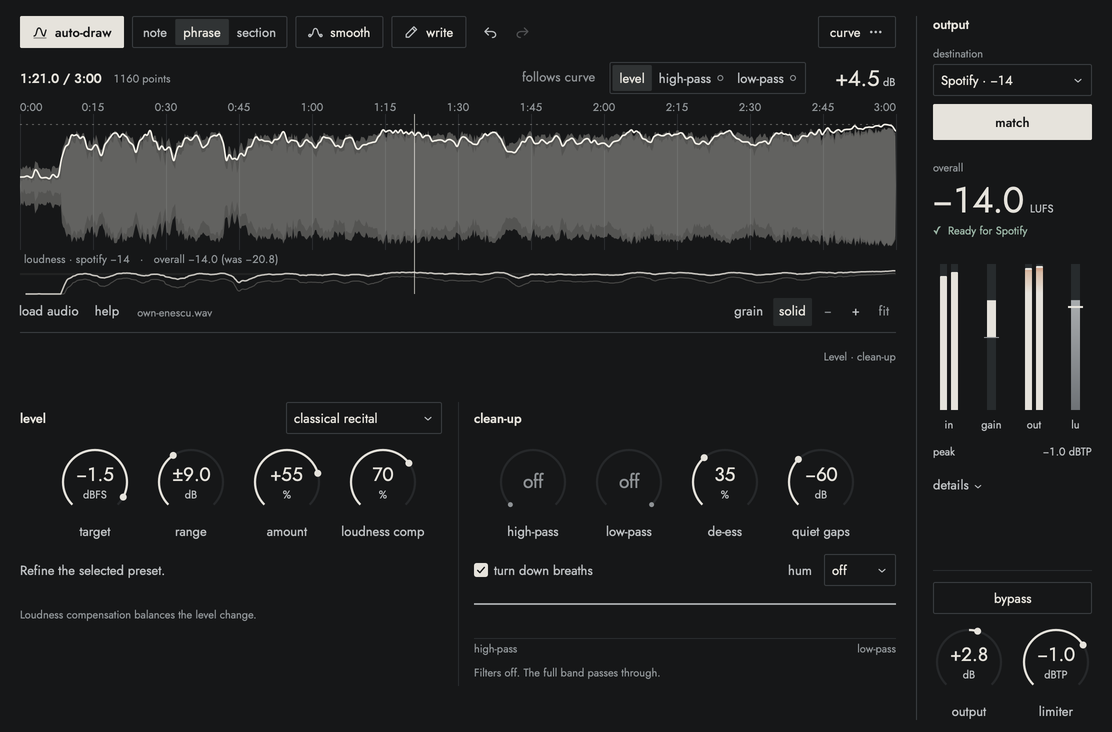
It reads the whole recording, draws one curve, and shows every move before you hear it. Phrases keep their shape, and you can redraw any of it.
Then it finishes the job in the same window: hum, harsh "s" sounds and room noise taken care of, and the loudness Spotify, Apple Music or ACX expects, with safe peaks. A solo or acoustic recording is done when you export. Mixing a full band? Use it on the vocal and piano tracks before the mix, and to set the final loudness after.
From a raw take to a finished track, in three steps.
- 1
Open your recording
Drop a file on the app, or put Gain Curve on a track in Logic, GarageBand, Ableton or any Mac DAW. You see the whole performance at once.
- 2
Draw the curve
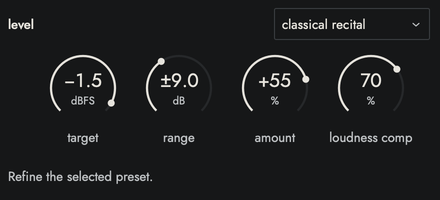
Press Auto-draw and it traces the performance, or draw it yourself. Each moment is turned up or down to follow it.
- 3
Make it ready
Pick where you're releasing. One click lands it on the right loudness with safe peaks. Export.
It shows you what it will do, for every second, before you press play.
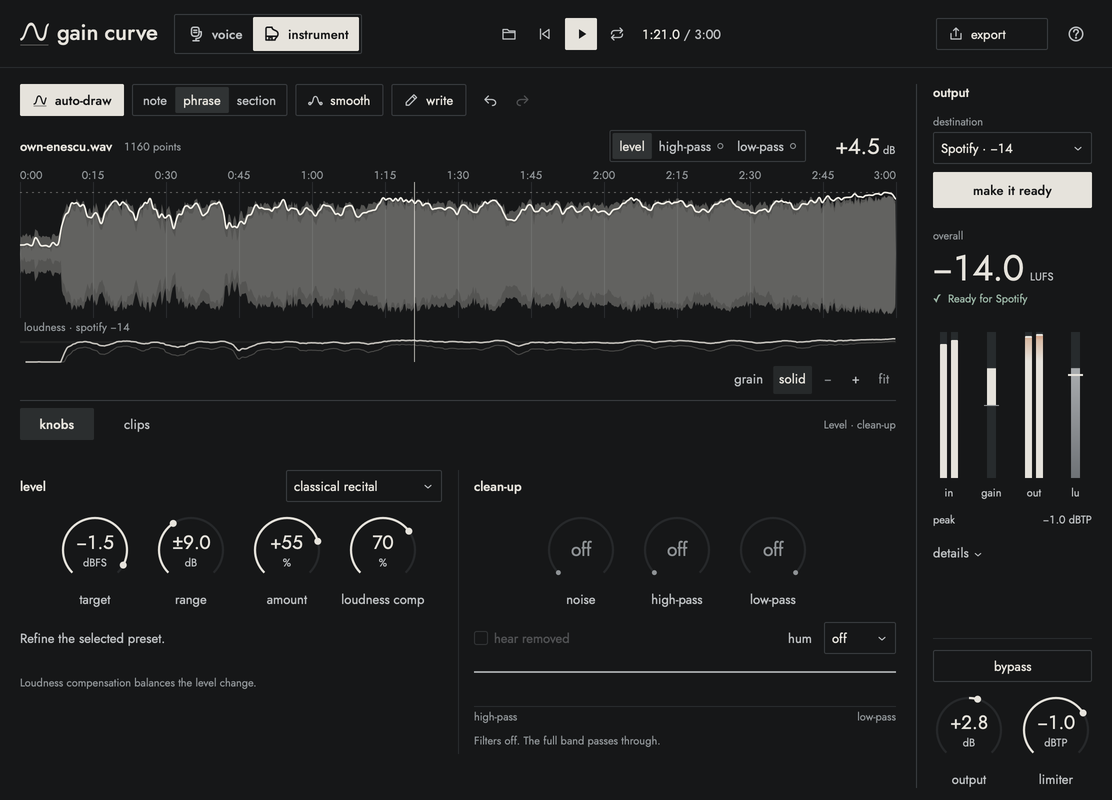
- Auto-drawfollows every note, every phrase, or whole sections
- Smoothrounds sharp jumps into gentle rides
- Writepress play and ride it with the mouse or a MIDI fader
- Undoanything, any time: ⌘Z
The clean-up a home recording needs, one knob each.
Set them once, before you draw. Each one does a single job, explains itself when you hover it, and works only when the problem is there, so the rest of the take is left as you played it.
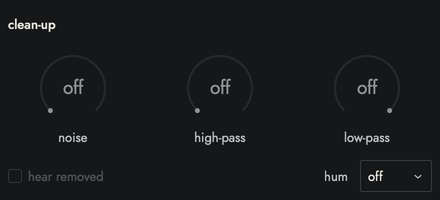
- High- and low-passrumble out of the bottom, harshness out of the top
- Humremoves 50 or 60 Hz mains hum with one switch
- DC offsetremoved for you, always
Noise and voice clean-up
- De-esssoftens harsh "s" sounds, only while they happen
- Noisein the app: when the curve brings quiet playing up, the hiss under it comes up too; Make it ready takes it back down to where it was in your recording, and for a voice it takes it out. No quiet spot needed
- Quiet gapsturns down the pauses between phrases, and breaths if you like
Ready for wherever it's going.
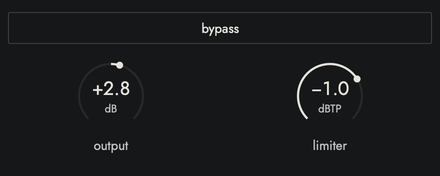
Every platform turns music to its own loudness. Too loud and they turn you down; too quiet and you sound weak next to everything else. Gain Curve tells you in plain words, and Make it ready fixes it, with a look-ahead limiter keeping peaks under the platform's ceiling.

- spotify−14
- apple music−16
- youtube−14
- amazon−14
- tidal−14
- deezer−15
- podcasts−16
- audiobooksacx
- broadcast ebu−23
- broadcast atsc−24
- customany
Loudness in LUFS. Peaks are kept under each platform's ceiling. What the numbers mean
clips
A moment worth sharing.
Find the best 15, 30 or 60 seconds of your take: builds, the widest swings and strong openings, from phrase edge to phrase edge.
Export a 9:16 video for Reels or Shorts, with the curve drawing itself, a title and a fade-out. For voice, Clips keeps whole sentences. Choosing a moment loops it.
Clips carry the Gain Curve mark during the trial. Licensed users can remove it.
For your voice recordings, too.
Cut ums, coughs, long pauses and any words by editing the text, made on your Mac, English only.

Voice tools and formats
Voice or instrument. It hears which.
Open a podcast, an interview or a voice memo and the app switches to Voice: the tools for speech, presets for a solo show, an interview or an audiobook, and an Export that starts with where it's going. Open music and you get Instrument, with nothing you don't need. Switch any time.
- Voice toneless rumble and boxiness, more clarity and air: natural, warm, bright or broadcast, or matched to a voice you like
- Voice fixesroom echo, mouth clicks, P and B pops and background noise, each only where it's heard
- Speaker tracksone file per person: every voice as loud, the bleed from the other mics held down
- Videothe picture beside the waveform; save the same video with the new sound, or with jump cuts
- Exportpodcast MP3 with title, cover and chapters, AAC, WAV with title and artist, and each speaker's track
In your DAW, too.
The same window as an Audio Unit and a VST3. Put it on a vocal in Logic, GarageBand, Ableton, Cubase, Studio One, Reaper or Bitwig: it records what the track plays, or loads the file, and draws from there. Keep the curve inside Gain Curve, or write it into your DAW's automation.
License, meters and more
- One licensethe app, Audio Unit and VST3, on two Macs
- Meterstrue peak and loudness to EBU R128 and ITU BS.1770
- Batchmake a whole folder ready in one go
- Helpevery control explains itself in plain words
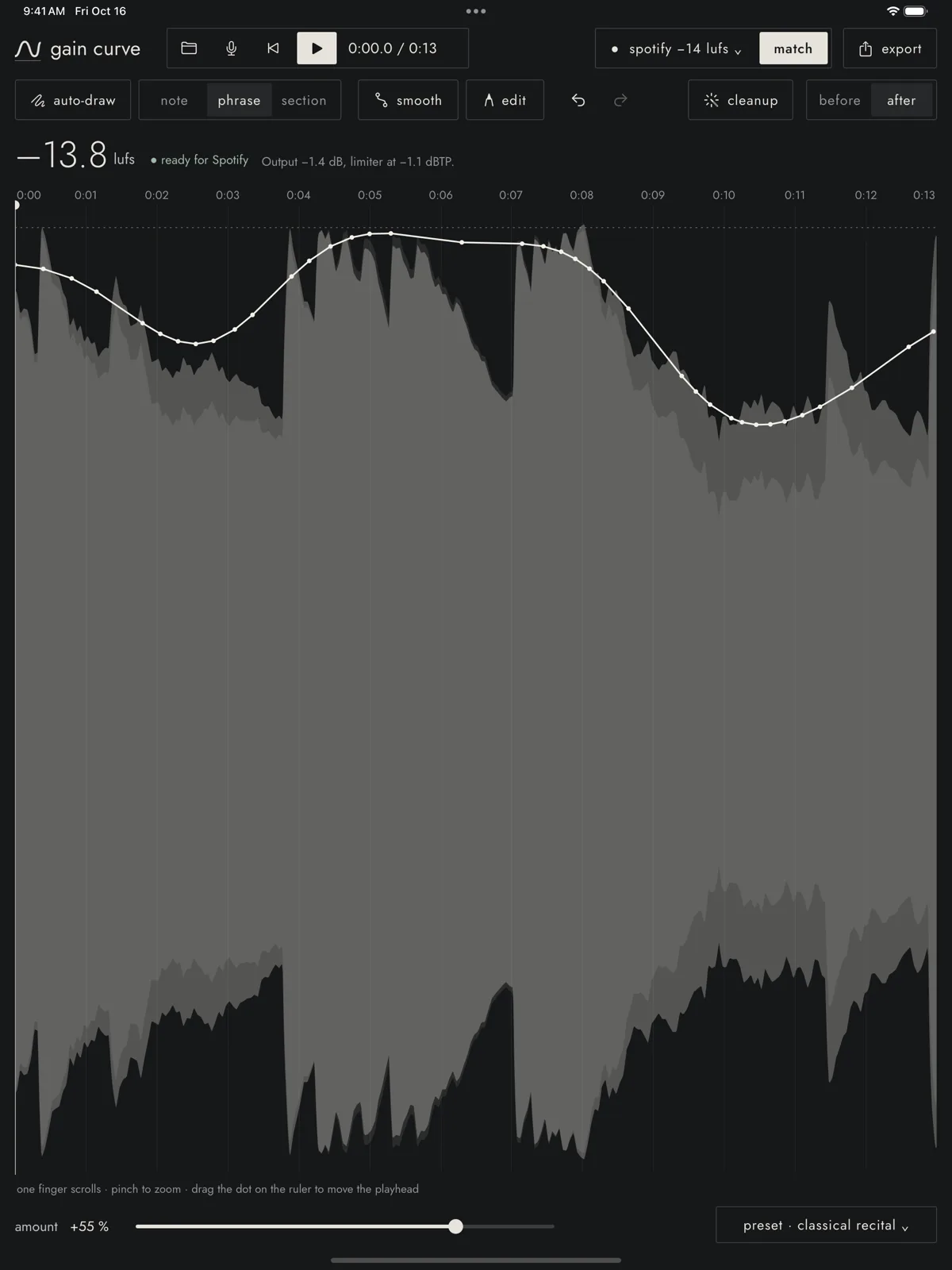
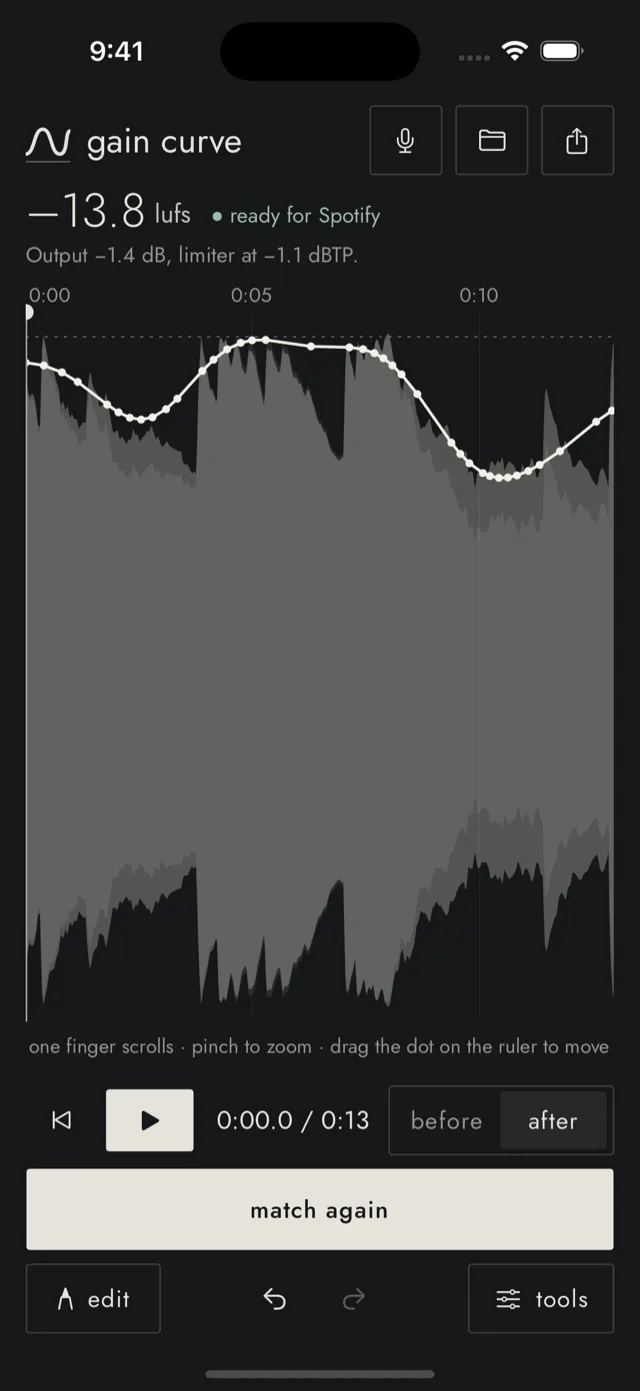
Gain Curve for iPhone and iPad.

The same curve, in your hand. Record a take or open one, draw the curve with your finger, or with Apple Pencil on iPad, and make it ready in one tap.
- Drawwith your finger, or Apple Pencil on iPad
- Make it readyone tap draws the curve and lands the loudness for where it's going
- Background noisefound and taken out for you; slide the marker to choose where it listens
- Record or openthe microphone, Voice Memos or Files
- ExportWAV or M4A
- Pricefree to try for 14 days, then $14.99 once, in the app. Separate from the Mac license. No subscription.
Made for anyone whose performance goes from a whisper to a shout.
Singers and songwriters
Every word audible over the band, without crushing the life out of the vocal.
Piano and classical
The loudest passages tamed, the quiet ones lifted, and the music keeps its shape.
Podcasters
Every voice as loud, ums and coughs cut from the transcript, −16 LUFS with chapters and cover. More
Video creators and teachers
A moving voice on a lav or camera mic, levelled so every word lands, and the video saved with the new sound.
Audiobook narrators
ACX loudness, peak and noise-floor rules, without fighting a compressor.
In a mix
Even out the vocal and piano tracks before you mix, and set the final loudness after.
Try it free for 14 days. Then buy it once.
$29 until December 31, then $49.
- Everything included in the trial, nothing locked, no account, no card.
- The app, Audio Unit and VST3 on two Macs. Works offline after one activation.
- What you make with it is yours, commercial use included.
- This is the price, and it's also the sale: no Black Friday, no "was $99". Why
- Students and teachers pay $15. Get the code
- The 14-day trial is how you try it, so sales are final. Refund policy
Good to know.
How do I get my license key?
Right after paying you see it on the screen, and it's emailed to you. In Gain Curve, click Trial at the top of the waveform, paste the key and press Activate.
Can I use it on more than one computer?
Yes, on two Macs at a time. Got a new computer? Deactivate the old one from the same panel, then activate the new one.
Does it need the internet?
Only once, to activate, and once more if you use the transcript, to download its speech model. After that it works offline for good. When you're online it checks once a day for a new version; you can turn that off.
Which DAWs does it work in?
Any Mac DAW that loads Audio Units or VST3: Logic Pro, GarageBand, Ableton Live, Cubase, Studio One, Reaper, Bitwig, Digital Performer and more. Pro Tools (AAX) isn't supported yet. Or skip the DAW and use the app.
Can I put a finished mix through it and be done?
For a solo or acoustic recording, yes: it evens out the performance and sets the release loudness, which is most of what mastering does for that kind of track. For a produced song with a full arrangement, use it for the final loudness and keep Amount low: the quiet verse and big chorus are on purpose, and Gain Curve doesn't shape tone the way a mastering engineer does.
Is it a compressor?
No. A compressor reacts to the sound as it happens and guesses. Gain Curve sees the whole recording first and follows a curve you can see and change, so it never pumps or squashes.
What do Quiet gaps, Noise and De-ess do?
Quiet gaps turns down anything quieter than the level you set: hiss, room noise, headphone bleed between phrases, and with "turn down breaths" on, breaths. Noise (in the standalone app) takes steady background sound out: when Gain Curve brings a quiet passage up, Make it ready takes the hiss under it back down to where it was in your recording, so the music gets louder and the noise doesn't; for a voice, in Voice mode, it takes the noise out. It finds the noise by itself, and "hear removed" lets you check it took nothing else. De-ess softens harsh "s" sounds only at the moments they happen, so the rest of the voice keeps its air.
Is there a student discount?
Yes: students and teachers pay $15. Type your school email on the students page and you'll get a one-time code by email. No school email? Write to office@pvt-studio.com with a photo of your student or staff ID.
Will the price change?
Yes, once: Gain Curve is $29 until December 31, 2026, then $49, for everyone. Students and teachers stay at $15.
Can I get a refund?
The full version is free for 14 days, so you can try everything before you pay, and sales are final after that. If Gain Curve doesn't work as described on your Mac, or the law where you live gives you a right to cancel, write to office@pvt-studio.com and we'll put it right. Details in the refund policy.
Which formats can it save?
WAV and AIFF at 16 or 24-bit or 32-bit float, at the file's own sample rate or 44.1, 48 or 96 kHz; MP3 at 320 or 128 kbps stereo, or 96 or 64 kbps mono; AAC (.m4a) at 256 or 128 kbps stereo, or 96 or 64 mono; and for a video, the same video with the new sound. MP3 files carry the episode title, show, host, cover and chapters; AAC the tags and cover; WAV the title and artist. Send WAV to streaming services; MP3 is for podcasts, sharing and email. It opens WAV, AIFF, MP3, M4A and most other audio files, and .mp4, .mov and .m4v videos.
Is the transcript made online?
No. It's made on your Mac and nothing is uploaded. The first time, the app downloads a speech model once: 488 MB for the accurate one, or 1.6 GB for the best one, which gets more words right. It understands English only. On an Intel Mac, the accurate model takes about 26 seconds per minute of audio and the best one about 50. It starts by itself when a speech recording opens, so it's usually ready by the time you look.
What Mac do I need?
macOS 11 Big Sur or later, on Apple silicon or Intel. The transcript needs Apple silicon or an Intel processor with AVX2 (most Intel Macs from late 2013 on, but not the 2013 Mac Pro), and finding coughs in it needs macOS 12 or later.
Is there an iPhone or iPad version?
Yes, on the App Store. Record or open a take, draw the curve with your finger or Apple Pencil, let it take out background noise, and export WAV or M4A. Free to try for 14 days, then a one-time $14.99 unlock in the app.
Does my Mac license include the iPhone and iPad app?
No. The iPhone and iPad app is a separate one-time unlock, bought through the App Store. The Mac license covers the Mac app, Audio Unit and VST3. Neither is a subscription.
Windows?
Not yet. It's planned.
Does it add latency?
1.5 milliseconds, for the look-ahead limiter. Your DAW is told and keeps everything in time.
How do I uninstall it?
Open the Gain Curve download again and double-click Uninstall Gain Curve.