Press
Everything you need to write about Gain Curve. For a review license or questions, write to office@pvt-studio.com.
In one line
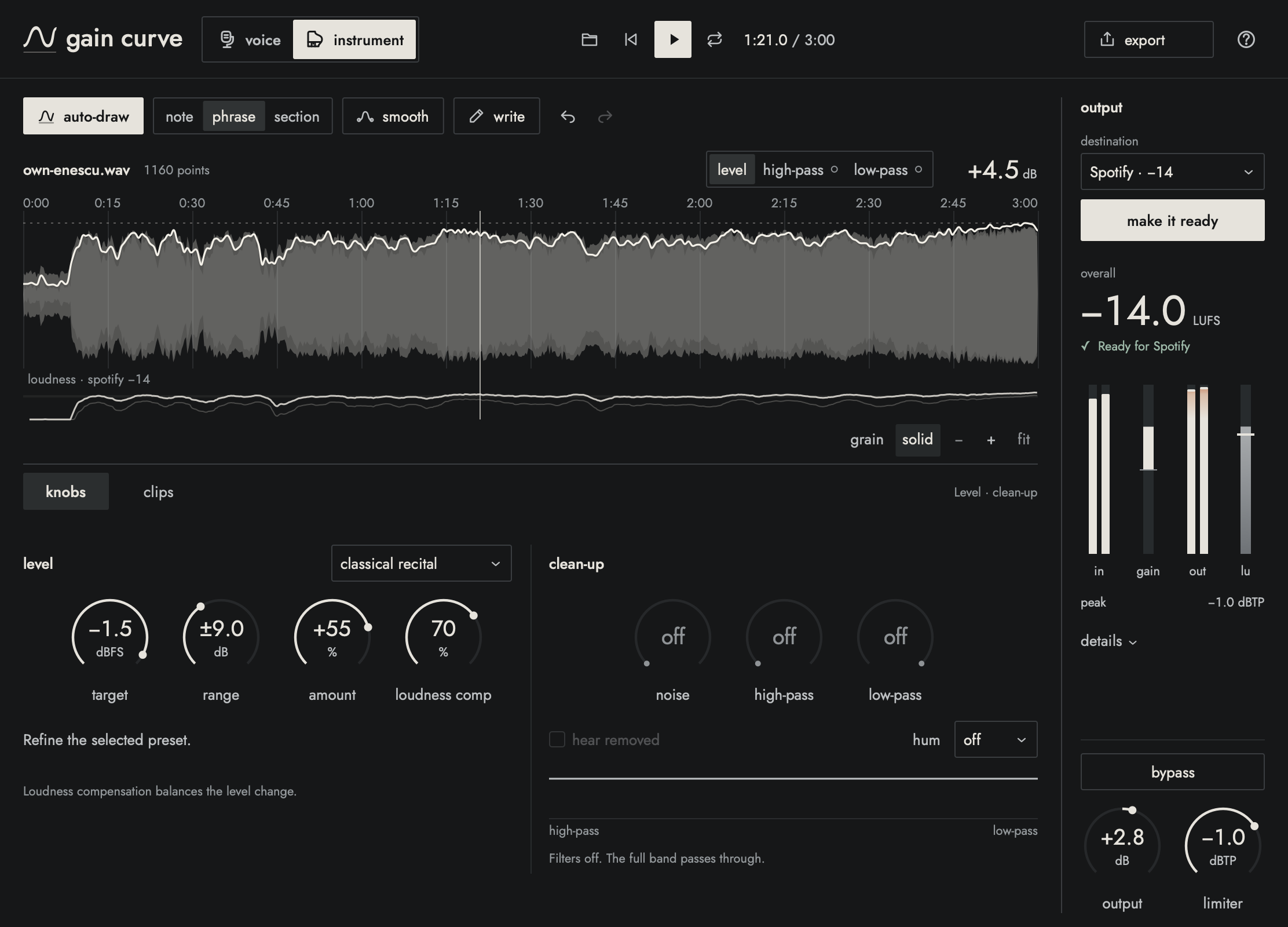
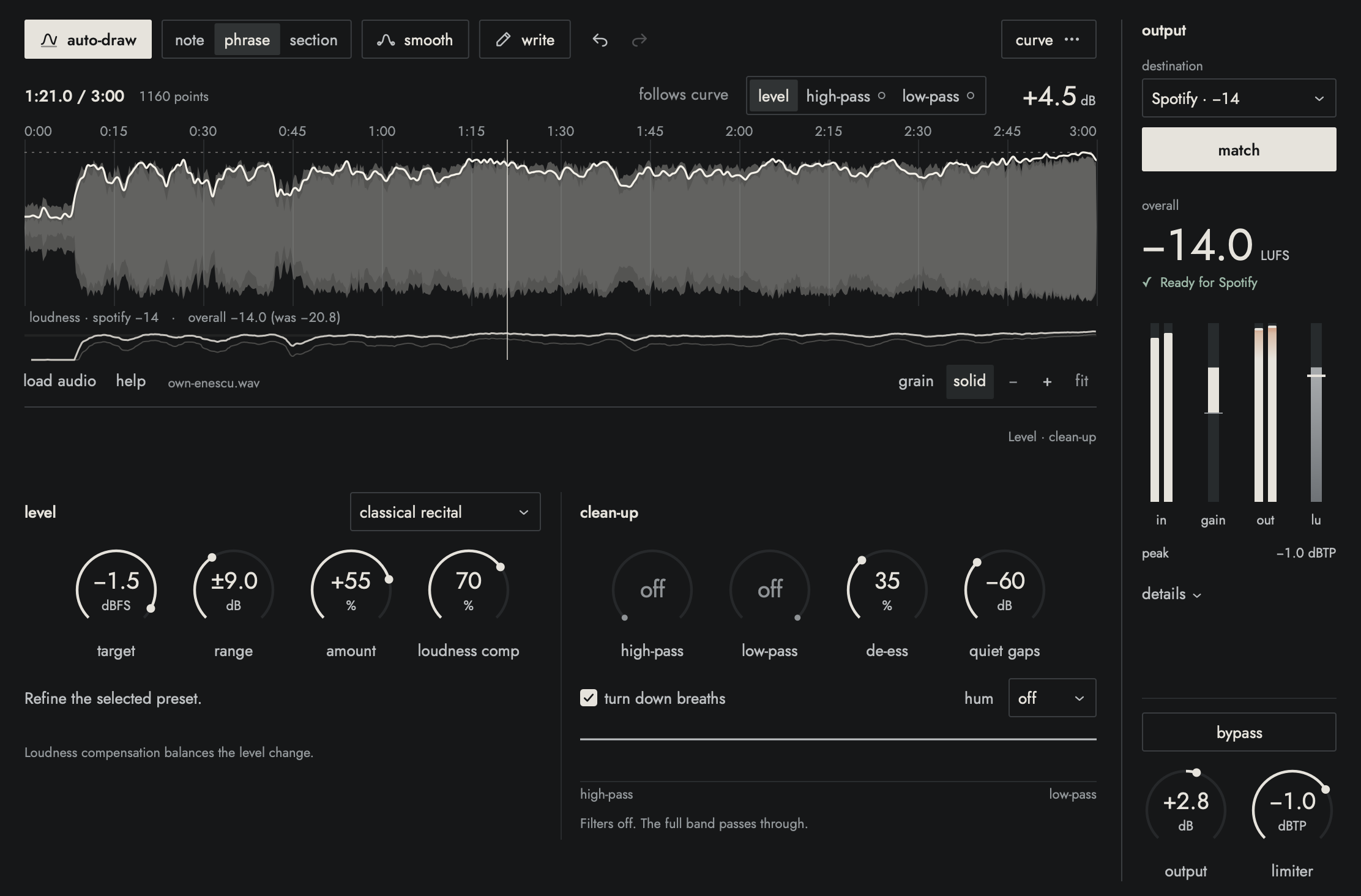
Gain Curve levels a recording by following one curve over the whole performance: quiet lines come up, loud ones settle, nothing gets squashed, and one click makes it ready for Spotify, Apple Music or YouTube.
In a paragraph
Most levelling tools react to the sound as it happens and guess. Gain Curve listens to the whole take first and draws a curve of how loud each moment should be, which you can see, edit and undo before anything changes. It does the clean-up a home recording usually needs (high- and low-pass, de-ess, quiet gaps and breaths, hum, DC offset, and in the app, background-noise removal), then matches the loudness each platform expects with safe true peaks. Since 1.4.1 the app also has a Voice mode for podcasts and video: an on-device transcript to cut ums, coughs and any words, voice tone, room echo, mouth clicks and pops, one track per speaker, video with the new sound, and podcast exports with tags, cover art and chapters. 1.5 adds Clips, which finds the best 15, 30 or 60 seconds of a take and exports it as a 9:16 video, and lets Apple Shortcuts, the command line and Claude use the app. 1.5.1 brings a new look and Loop for listening to a passage while you adjust. It runs as a Mac app and as an Audio Unit and VST3 plug-in, and it's made for musicians and podcasters recording at home, not engineers.
- ProductGain Curve 1.5.1
- DeveloperPVT Studio LLC, Pasadena, California
- Price$29, one time, until December 31, 2026, then $49; students and teachers $15; 14-day full trial
- PlatformmacOS 11 or later, Apple silicon and Intel
- Formatsstandalone app, Audio Unit, VST3 (no AAX yet)
- Licensetwo Macs, offline after one activation, no account, no subscription
- Websitegaincurve.pvt-studio.com
- Contactoffice@pvt-studio.com